
ShareFile Enterprise: Where Control Keeps Up with Collaboration
Progress® ShareFile® Enterprise helps scale sensitive document collaboration with automated access, connected security visibility, data protection and investigation context.
Stay in Control as Collaboration Scales
As more people, files and workflows move through your organization, security shouldn’t create more work. ShareFile Enterprise helps teams reduce manual administration, strengthen oversight and protect sensitive information—without slowing collaboration down.
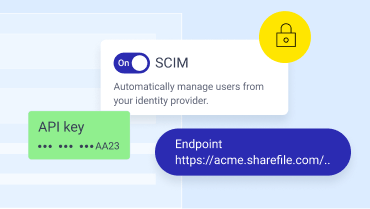
Spend Less Time Managing Access
Keep employee access aligned as people join, move within and leave your organization—reducing manual administration and the risk of outdated access.
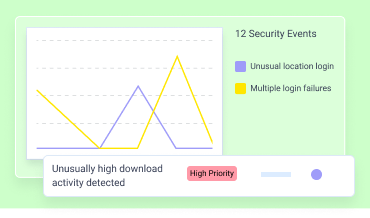
Identify Potential Risk Fast
Give security teams greater visibility into file activity so they can monitor risk, investigate issues and respond without adding another disconnected process.
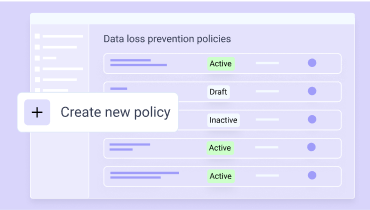
Help Keep Sensitive Information Protected
Reduce the risk of sensitive information being shared or downloaded inappropriately with protections that help enforce your organization’s policies.
Enterprise Control for the Way You
Work Now
Connected capabilities enable teams to bring more consistent control to document collaboration, even as usage grows.
Automated User Provisioning with SCIM
Keep employee access aligned with workforce changes automatically. Provision and update users and groups with tools like Microsoft Entra ID and deactivate access when employees leave, helping reduce manual administration and access lag.
Connected Security Monitoring with SIEM
Bring supported ShareFile security activity into the monitoring tools your SOC already uses. Connect with tools like Splunk and Microsoft Sentinel to give security teams more context while reducing dependence on manual log exports and custom integrations.
Built-In Support for Data Loss Prevention
Add consistent protection around sensitive information. Detect supported sensitive text-based content and apply policies that can alert administrators or restrict external sharing and downloads.
User Behavior Analytics with UEBA
Surface unusual activity sooner by identifying changes in user behavior such as abnormal downloads, off-hours activity or unexpected access patterns—helping security teams focus investigations where they matter most.
Centralized Security Investigation
Bring supported security alerts, user activity and investigation context together in one ShareFile experience so teams can understand what happened and move from alert to the next appropriate action faster.
Fit Secure Collaboration into Your Technology Ecosystem
Connect ShareFile software with the productivity and business systems your teams already use.

Microsoft 365
share files directly from Outlook, Word, Excel and PowerPoint.

Google Worksplace
share secure file links through Gmail and Google Drive integrations.
Salesforce
support lead management and client onboarding.

Zapier
connect ShareFile with 4,000+ applications.
Mobile Apps
for iOS and Android to support secure access from anywhere.

Trusted at Scale
90,000+ subscribers trust ShareFile software to keep shared work moving easily and securely.
"What became clear to us is that client collaboration is about much more than where files live. We need the right controls, secure client experiences and workflows to support how we work with clients, families and their advisors. ShareFile gives us that foundation, and Enterprise gives us an opportunity to strengthen it with even greater security, governance and visibility."
Scott Jenkins Director of Information Technology at Keel Point

FAQs
-
What is Progress ShareFile Enterprise?
Progress ShareFile Enterprise is a document collaboration plan for larger or regulated organizations that need robust security, identity, monitoring, data protection and investigation controls around the work employees, clients and partners already do in the ShareFile platform.
-
Does my organization need ShareFile Enterprise?
If your organization is scaling quickly or subject to regulations that require strict monitoring, data protection and investigation controls, then ShareFile Enterprise might be your best option for secure document collaboration.
-
Does ShareFile Enterprise replace my existing security stack?
No. ShareFile Enterprise brings enhanced visibility and control to document collaboration within ShareFile and connects with parts of the security environment you already use. It is not a replacement for your broader security stack.
-
How is ShareFile Enterprise different from Advanced or Premium?
Advanced supports secure file sharing and document collaboration, while Premium extends those capabilities to end-to-end client collaboration and workflow efficiencies. ShareFile Enterprise adds enhanced identity, monitoring, sensitive data and investigation controls for organizations with enterprise-scale requirements.
-
How does ShareFile Enterprise support enterprise document collaboration?
ShareFile Enterprise helps larger and regulated organizations securely collaborate on sensitive documents while giving IT and security teams enhanced visibility and control. It combines secure document collaboration with automated user provisioning, SIEM integration, native data loss prevention, user behavior analytics and centralized security investigation capabilities. This helps organizations scale document and client collaboration while reducing manual administration, improving security monitoring and applying more consistent controls as usage grows.
-
How much does ShareFile Enterprise cost?
$42 monthly per user or $35 annually per month, per user. A 3-user minimum applies.

Ready to Take Control
of Collaboration?
Stop chasing documents. Choose software that helps your team share securely, stay organized and collaborate confidently.