Must-Have ShareFile Integrations If You’re an Accountant
ShareFile software can help accountants streamline common document-heavy workflows, enhance security and simplify service delivery.

The recent accounting industry surveys pointed out a growing industry but struggling with some majorly important aspects of the daily work.
Looking at the major points, we can see four areas where accountants need help:
- Keeping up with sustainability reporting standards
- Leveraging new technologies
- Cybersecurity threats
- Reducing time spent on manual repetitive work
The reality is that the right tech solutions can help accountants use their time more efficiently and offer more security, especially in client communication and document exchange.
So why would accounting firms streamline their operations?
Communication and documentation exchange is a significant part of all legal services. So, it’s the perfect place for firms to start looking for a tech solution.
Meet Progress ShareFile software, perfect for your accounting business.
Progress ShareFile software helps streamline common document-heavy workflows. It enhances security for document sharing, onboarding, communication and other tasks. And it simplifies service delivery for better productivity and more seamless client experience.
Specifically, Progress ShareFile software can help you:
1. Client Onboarding
Create a template with all the documents, picture requests and information files you need to successfully onboard a client. By adding prospects, you can send exactly these files in one click. Once all information is received, the prospect becomes a client.
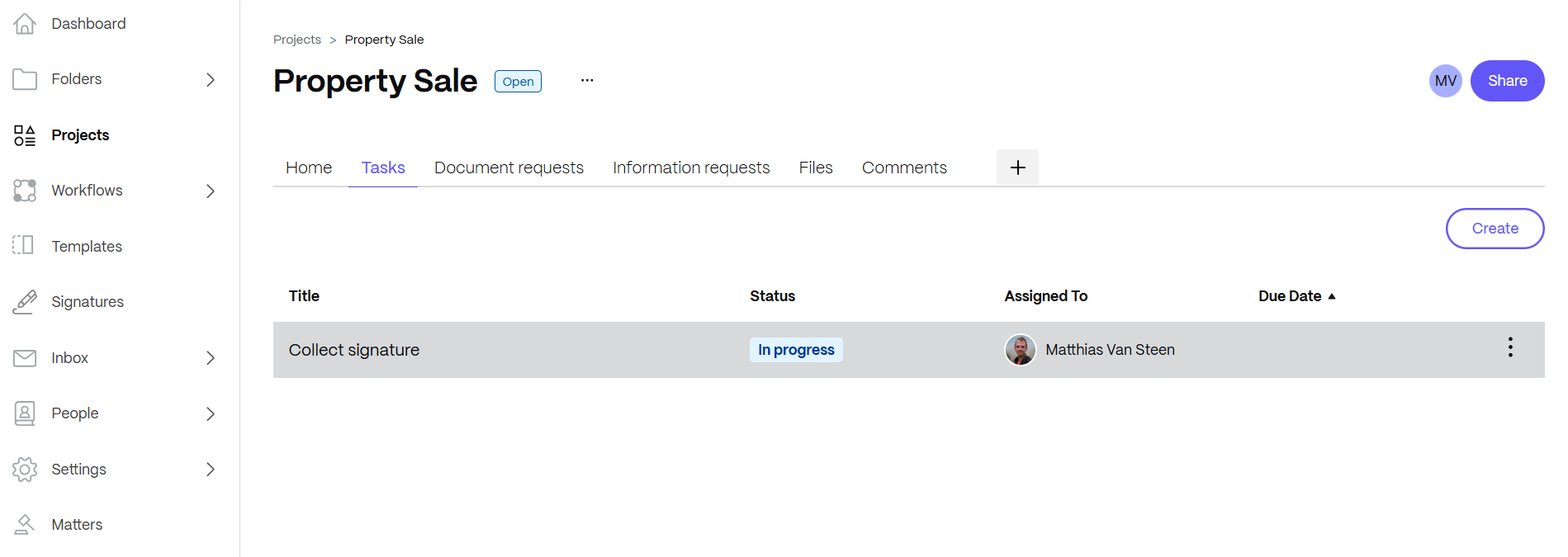
2. Manage and Monitor Tasks
Progress ShareFile software makes it simple to monitor who is doing what in the organization. It streamlines the operations of your firm with clearly defined workflows.
3. Security Alerts
Progress ShareFile software notifies you via email when it detects unusual activity on your account. To reduce overhead, you can adjust the notifications to your own needs.
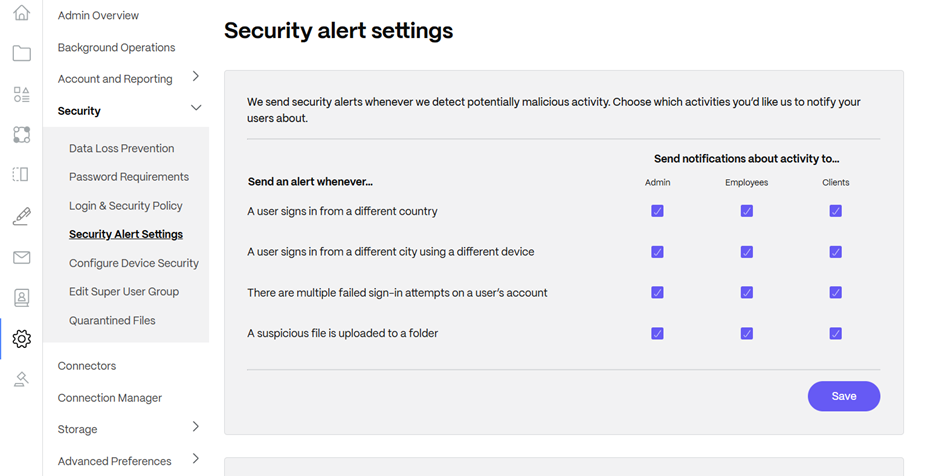
If someone reaches five failed logins, the login option will be blocked for five minutes, and everyone enabled to receive notifications will get an email like this:

4. Secure File Sharing
Progress ShareFile software encrypts the files which are being stored and transferred, helping you to maintain compliance with security regulations, and also giving you peace of mind that your data is better protected.
5. Automated Workflows
In many accounting firms, a lot of data goes back and forth between you and your clients. And, more often than not, this involves manual downloading, uploading or even printing, scanning and emailing the same document over and over.
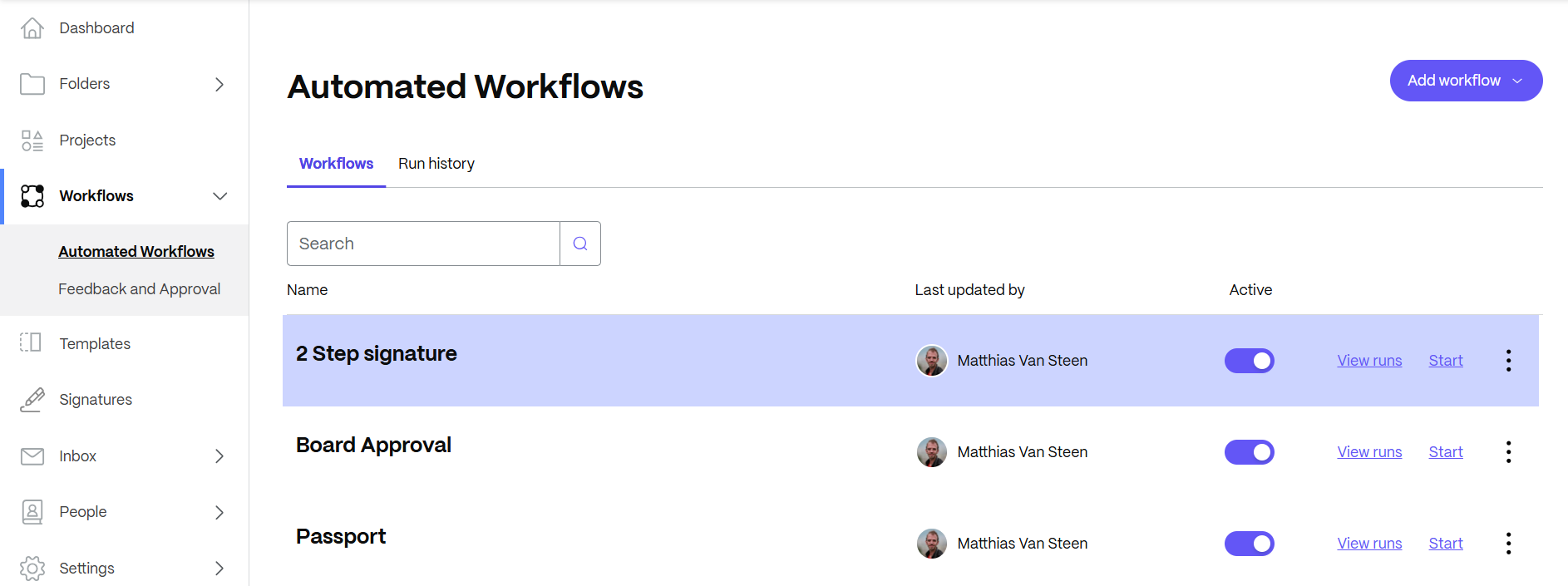
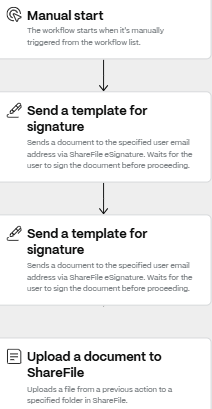
Progress ShareFile software offers Automated Workflows, where with one click you put this entire chain of actions and reactions in motion.
An example of a sent document which needs two signatures would look like this:
6. Local Access
Progress ShareFile software offers you the opportunity to work as you and your employees and clients prefer.
- Progress ShareFile Outlook plugin
- Progress ShareFile for Mac and Windows
- Progress ShareFile for iOS and Android
- Connectors to other storage locations like Box, Dropbox, Google Drive and OneDrive for Business
7. Organization
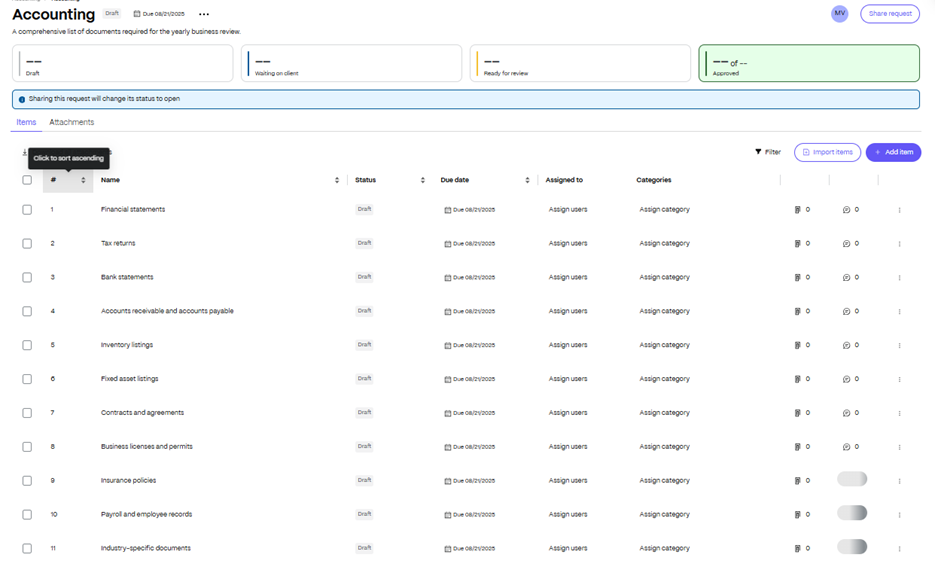
Progress ShareFile is the perfect platform to keep your clients’ documents organized. By creating a project, you can organize everything that needs to be done in one single location, including requests for files, uploading a file for your client to fill in, a safe storage space and the option to add comments which are visible for both you and your client.

8. E-Signatures
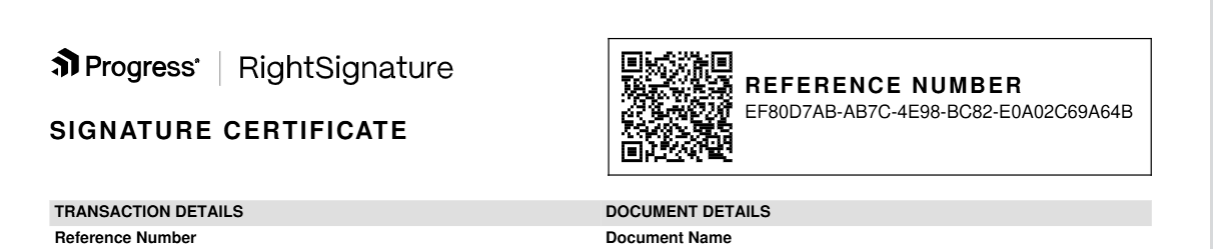
Eliminate the need for sending, printing, scanning and uploading documents with e-signatures. Progress ShareFile software offers electronic signing of documents with technology that is legally binding and allows you to save a signature certificate for every transaction.
Certificate for your signatures will come in the internationally approved format:
9. Reporting
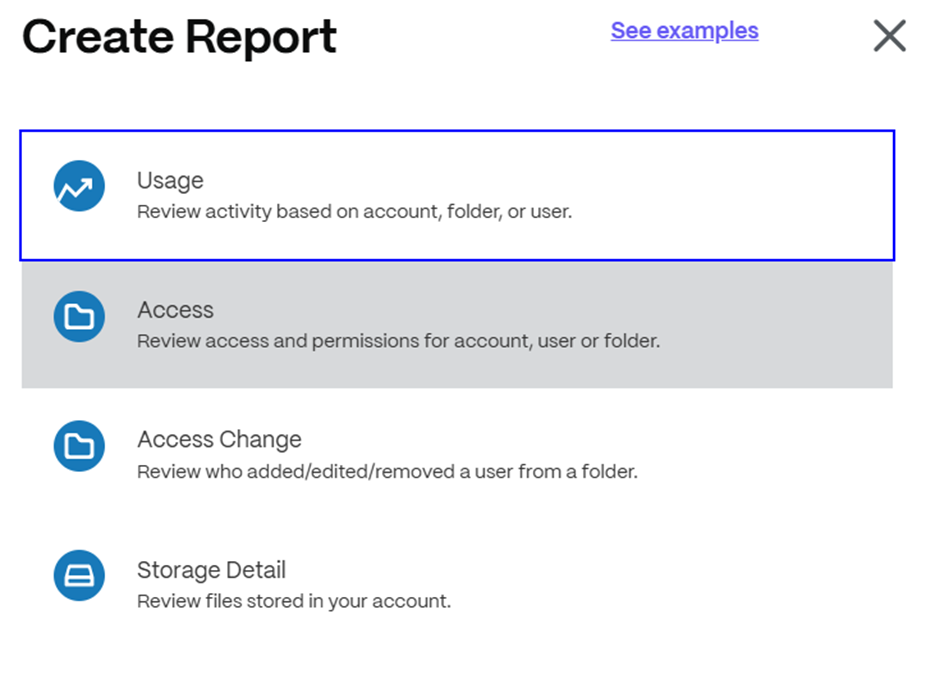
Tracking how your platform is used is vital for auditing and security purposes. The reporting options in Progress ShareFile software easily provide you with info on what has been done with which file, by which user, at which time, etc. Be it one time or recurring, you know what happened.
10. File Sharing: It’s Fast and Easy!
The most important thing is—of course—the file sharing itself!
With Progress ShareFile software, you just browse your file(s) and hit share. Apply the security and sharing options you prefer, and off you go!
You can create a link, or send the file(s) straight to email:

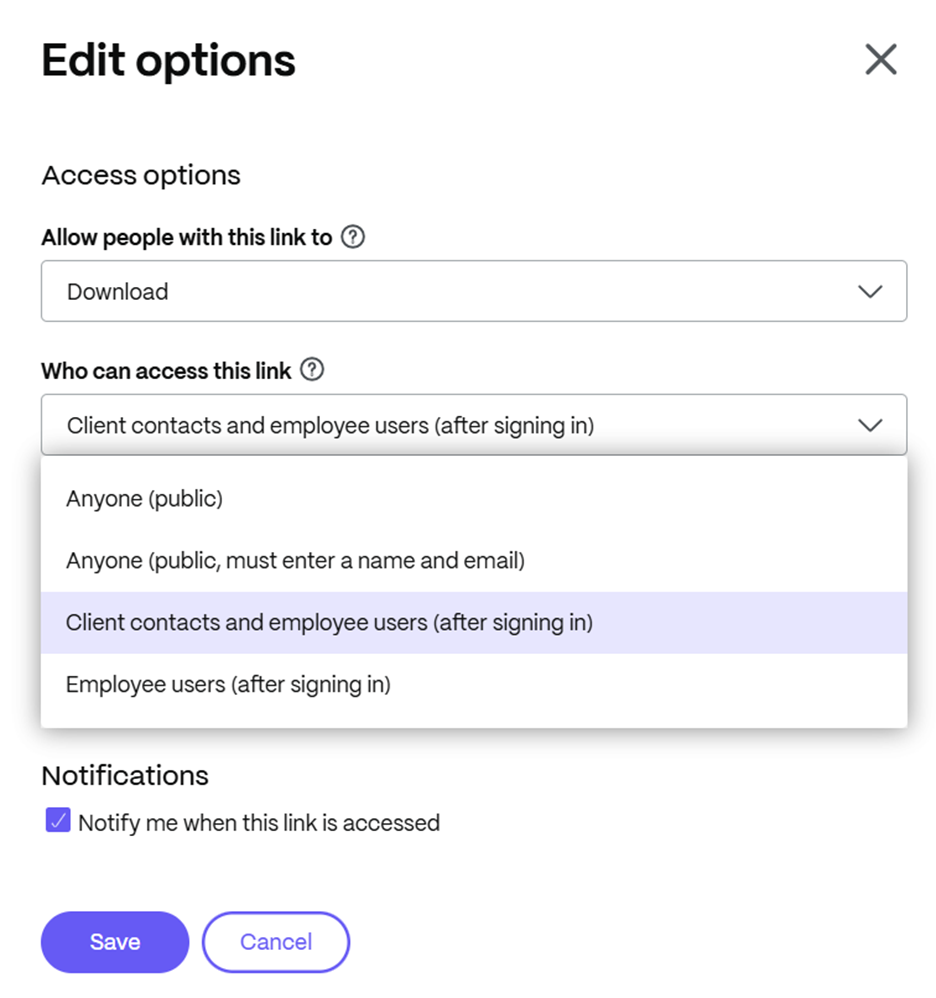
Using the link option, you can implement additional security:
Sharing by email, you can encrypt your mail:
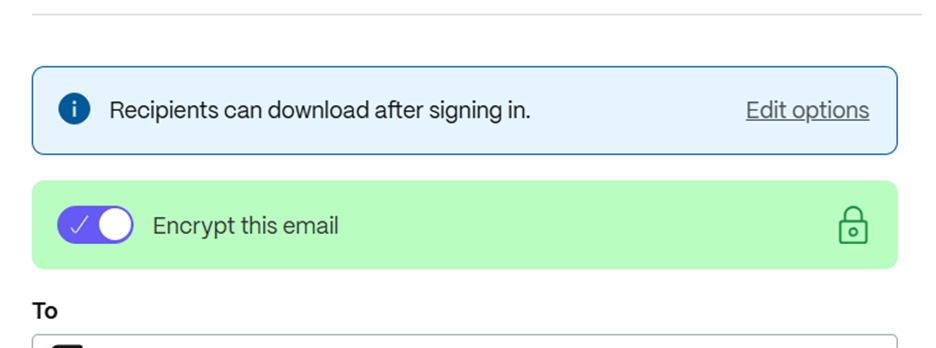
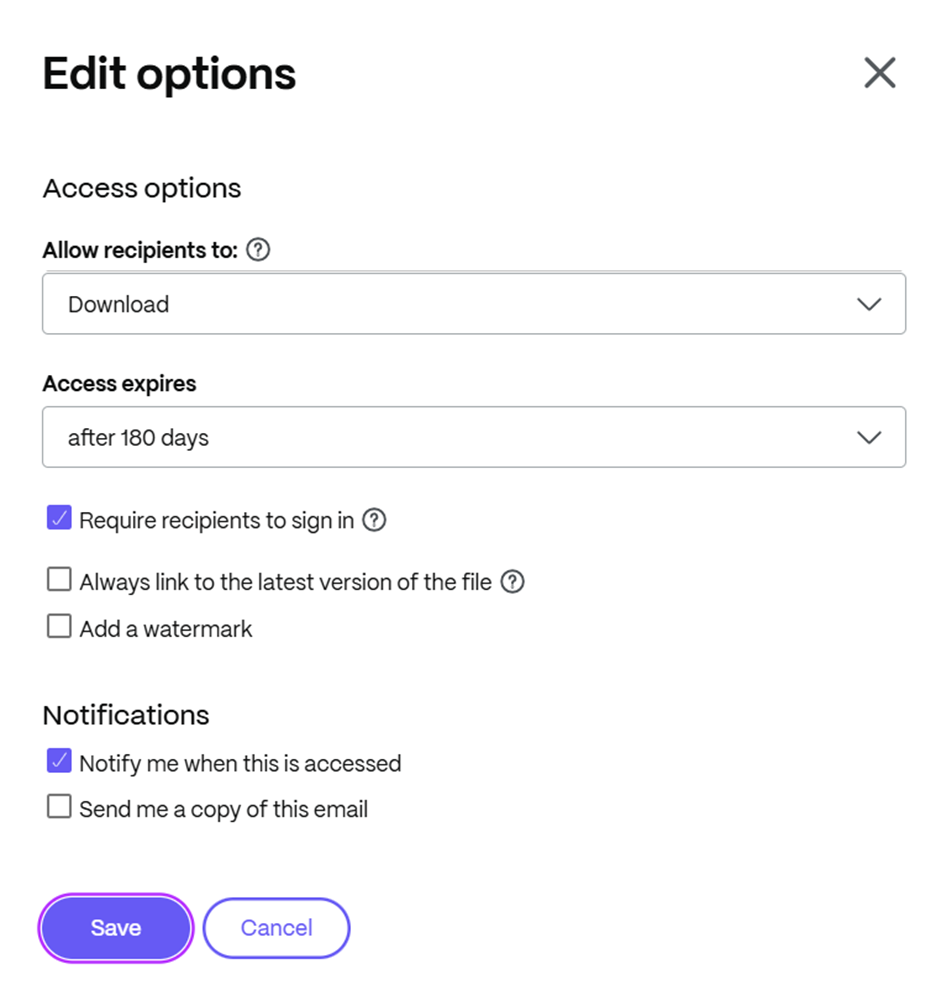
And you have the edit options as well, allowing you for more specific permissions:
Get started with Progress ShareFile software today.

Matthias Van Steen
Sales and Customer Success Engineer
Matthias Van Steen works as a Progress ShareFile Sales and Customer Success Engineer for Benelux, France and DACH (and any English speaker who might need him). Belgium born, Matthias now resides in Bulgaria with his wonderful wife and two sons. In his free time (who has that with two kids?) he likes a good beer, a game of bowling or billiards, or just some board games or a good movie. (Lord of the Rings anyone?) He welcomes meeting and collaborating with all, and he is happy to help out with any technical questions regarding ShareFile.