What's new in ShareFile: April 2026

At Progress ShareFile software, we’re continuing to evolve to better support the way you work. Over the past few months, we’ve introduced a series of updates designed to simplify workflows, improve efficiency and enhance your overall experience.
Here’s a look at what’s new—thoughtfully built to help your teams stay productive, connected and ready for what’s next.
Your Workflow, Optimized
Feature: Projects
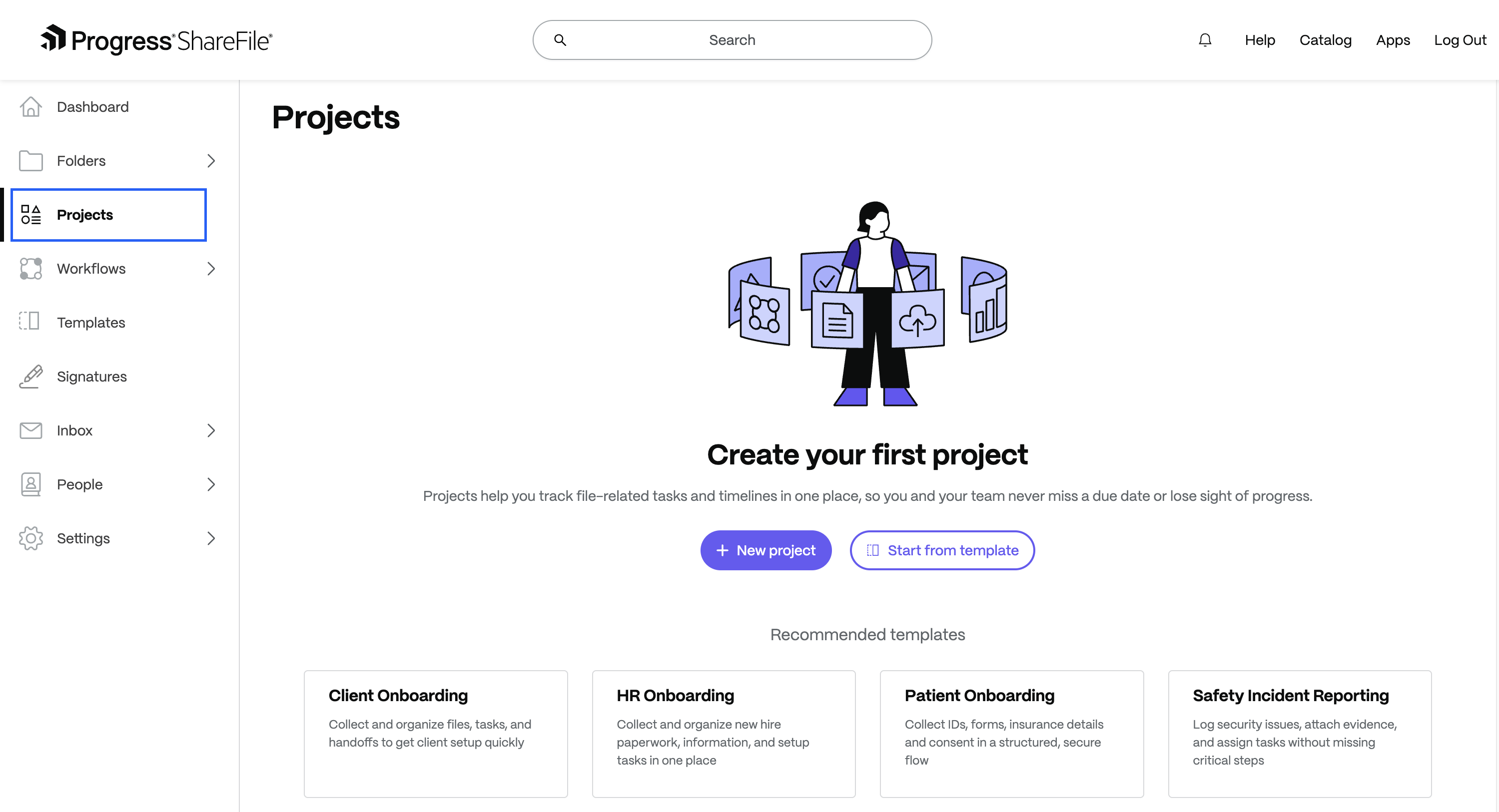
What It Does: Projects is now a more connected workspace designed to simplify document-driven collaboration. A unified Requests tab brings together document, information and signature requests, alongside a dedicated To-dos workspace to assign and track tasks. With guided setup, in-context comments and improved notifications, teams can stay aligned and keep work moving in one place.
Benefits:
- Streamline collaboration to manage documents, requests and tasks in one centralized space.
- Keep communication tied directly to the work with comments and @mentions.
- Reassign requests and track ownership without disruption and move work faster.
Feature: Backend Support for Switching Storage Zone for Projects
Customers can now request a storage zone change for an existing Project through a gated support process, reviewed and executed by support and engineering on the backend. This provides a controlled path to fix incorrect storage zone assignments without requiring a Project to be recreated or data to be manually moved.
Benefits:
- A safe resolution path for incorrect storage zone assignments, avoiding the disruption of recreating Projects or migrating data manually
- Compliance and data residency issues can be corrected through a structured, review-based process that helps validate changes before execution
Feature: Move & Copy Across ShareFile Workspaces
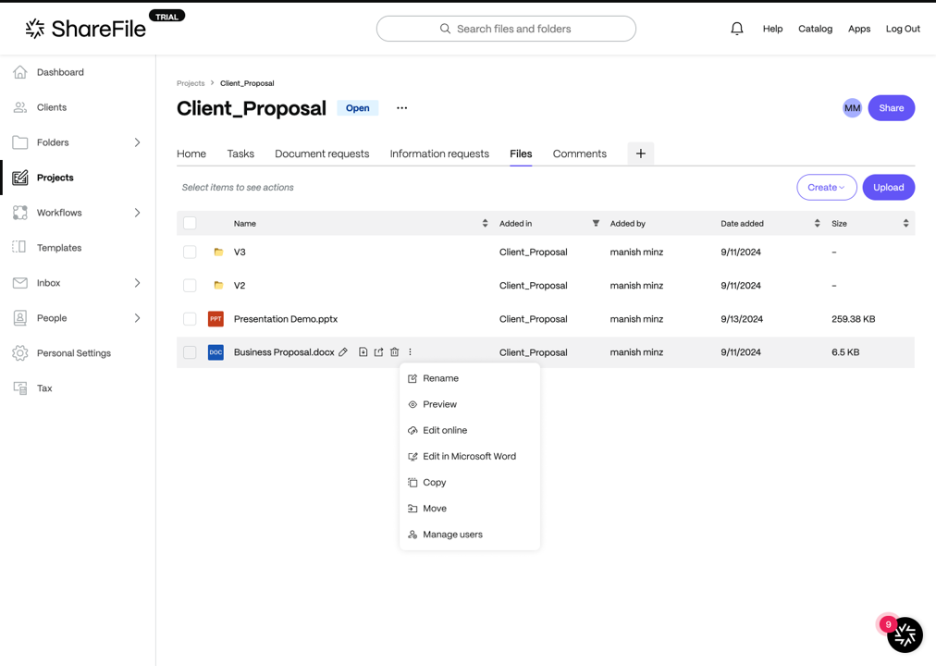
What It Does: Users can now move or copy files and folders seamlessly across ShareFile Projects, Solutions and Personal/Shared Folders—all from a unified experience available in both folder views and the content viewer. File versions and user-added metadata are preserved on moves, and automatic renaming prevents name conflicts.
Benefits:
- Content can follow the natural progression of work—from folders to projects and back—without manual downloads, re-uploads or duplication
- File context, including version history and metadata, is preserved during moves, maintaining continuity and auditability
- Flexible permission-based access means the right users can move or copy content without compromising access control for others
Secure by Design
Feature: Improved Session Management for Admins and Users
What It Does:
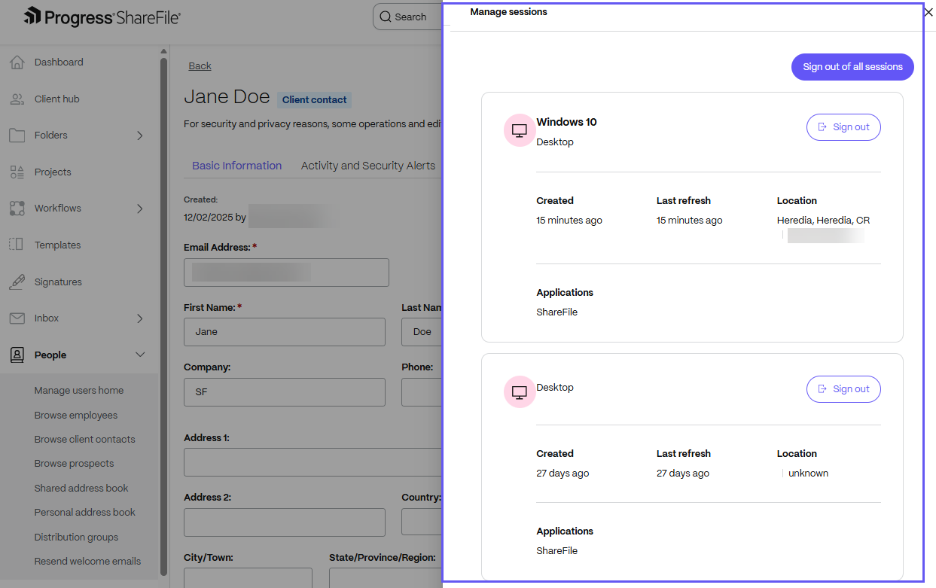
ShareFile software now gives both users and admins visibility into active sessions across web, desktop and mobile, with the ability to sign out or expire those sessions directly from the product. Users can manage their own sessions from Personal Settings, while admins can view and expire any user's live sessions from the People page—and password resets can now trigger expiration of all active sessions.
Benefits:
- Contain security risks faster—such as lost devices or compromised credentials—without needing to contact support
- Share responsibility between admins and users for session hygiene, reducing exposure during time-sensitive security situations
- Strengthen admin control with minimal added friction for end users, improving overall security response capability
Feature: Security Insights Dashboard
What It Does: Admins now have a centralized, near real-time dashboard that surfaces security-related activity across their ShareFile account, including login anomalies and unusual download behavior. In this first phase, the read-only dashboard allows admins to track threats by category, review sortable event lists and drill into details like IP address, device and location.
Benefits:
- Earlier detection of suspicious activity with a unified view of security events across the account, reducing the
time it takes to spot emerging risks - Faster investigation through drill-down event details—IP, device, location and activity—all accessible from a single interface
- Stronger security posture built on a foundation that can expand to include alerting and admin actions in the future
Seamless Collaboration
Feature: VDR Storage Visibility – Alerts & Enforcement
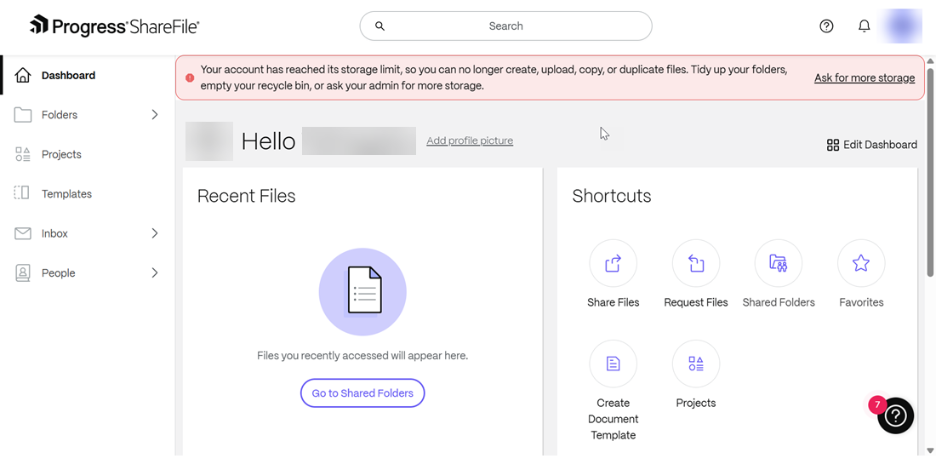
What It Does: ShareFile VDR now provides admins with proactive storage usage alerts at 90% and 100% capacity thresholds, along with consistent enforcement once limits are exceeded. Admins and users receive email and in-app notifications tied to their usage level, and upload actions are paused for accounts that remain over their storage limit.
Benefits:
- Early, actionable warnings at 90% capacity give admins time to free up space or purchase additional licenses before disruptions occur
- Compliance-aware enforcement for FINRA-regulated environments respects the requirement that files in those accounts cannot be deleted
- Streamline recurring services- Easily reference past client work to simplify repeat services
Learn More in Our What’s New with ShareFile Webinar on April 1, 2026
Join us for our What’s New in ShareFile webinar on April 1, at 12 p.m. ET. You’ll get all the details of our latest innovations and enhancements, and our team of ShareFile experts will answer your questions.