BLOGS

What's new in ShareFile: December 2025
Share the article
ShareFile for Your Firm
Secure document workflows your team and clients will actually use
Get StartedProgress® ShareFile® software keeps moving forward. Over the past few months, we’ve been delivering new updates designed to improve efficiency, elevate your workflows and support the way your teams work every day.
Whether you’ve been focused on day-to-day priorities or driving bigger initiatives, we’ve been busy enhancing the ShareFile experience behind the scenes. Below is a quick recap of our latest features and improvements from the past three months—built to help you stay productive, secure and ready for what’s next.
Your Workflow, Optimized
Feature: Minor Navigation Changes
.gif?sfvrsn=d3618c15_2)
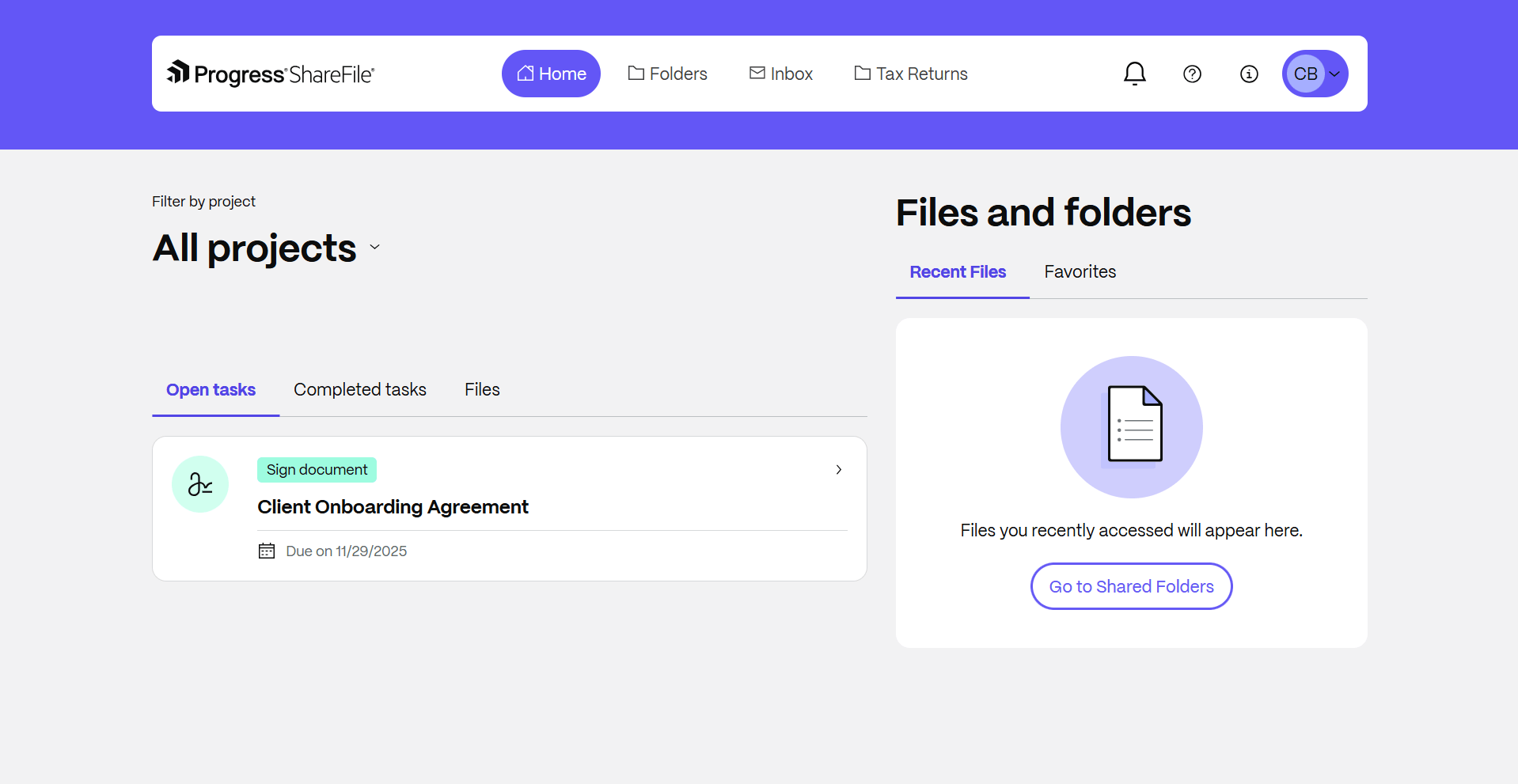
What It Does: New, minor navigation updates are live on the ShareFile web application. These changes include moving the Help Center, formally called the Resource Center, from the bottom-right corner of the ShareFile web app to the top-right of the menu bar. Personal settings, applications and the ShareFile catalog are now under the customer’s avatar menu, also in the top-right of the menu bar.
Benefits:
- Easier access to support documents, upcoming webinars and their Customer Success Engineer
- Smoother, more modern access to personal settings, connected applications and the ShareFile catalog
Faster recognition across teams with personalized workspace photos or avatars
Feature: Editable Word Templates
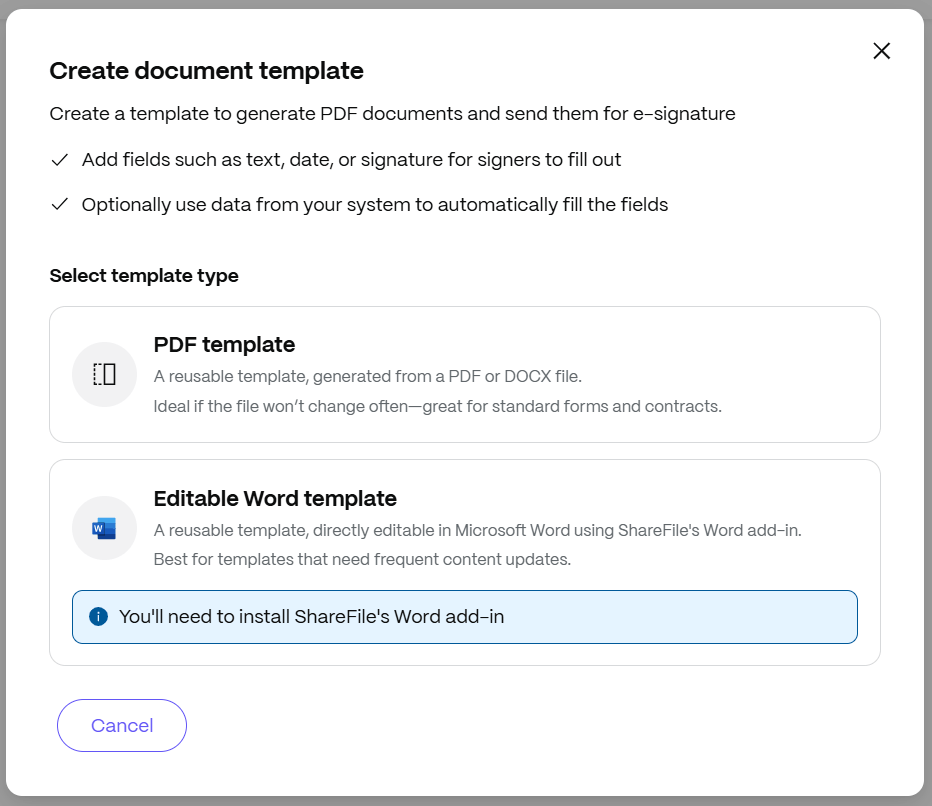
What It Does: Users can now create, edit and reuse Microsoft Word–based templates. Instead of working with static PDFs, users can build templates in Word, add signer roles and fields and autofill client details from ShareFile workspace or Salesforce—making it easier to prepare personalized documents without recreating them from scratch each time.
Benefits:
- Faster preparation of proposals, engagement letters, invoices and other client-ready documents
- Less repetitive work and fewer manual errors with template reuse and autofill
- Greater flexibility to tailor documents for each client with full Word control
- Smoother handoffs using e-signature workflows since templates are already set up for signing
Feature: Bulk Send for Document Templates
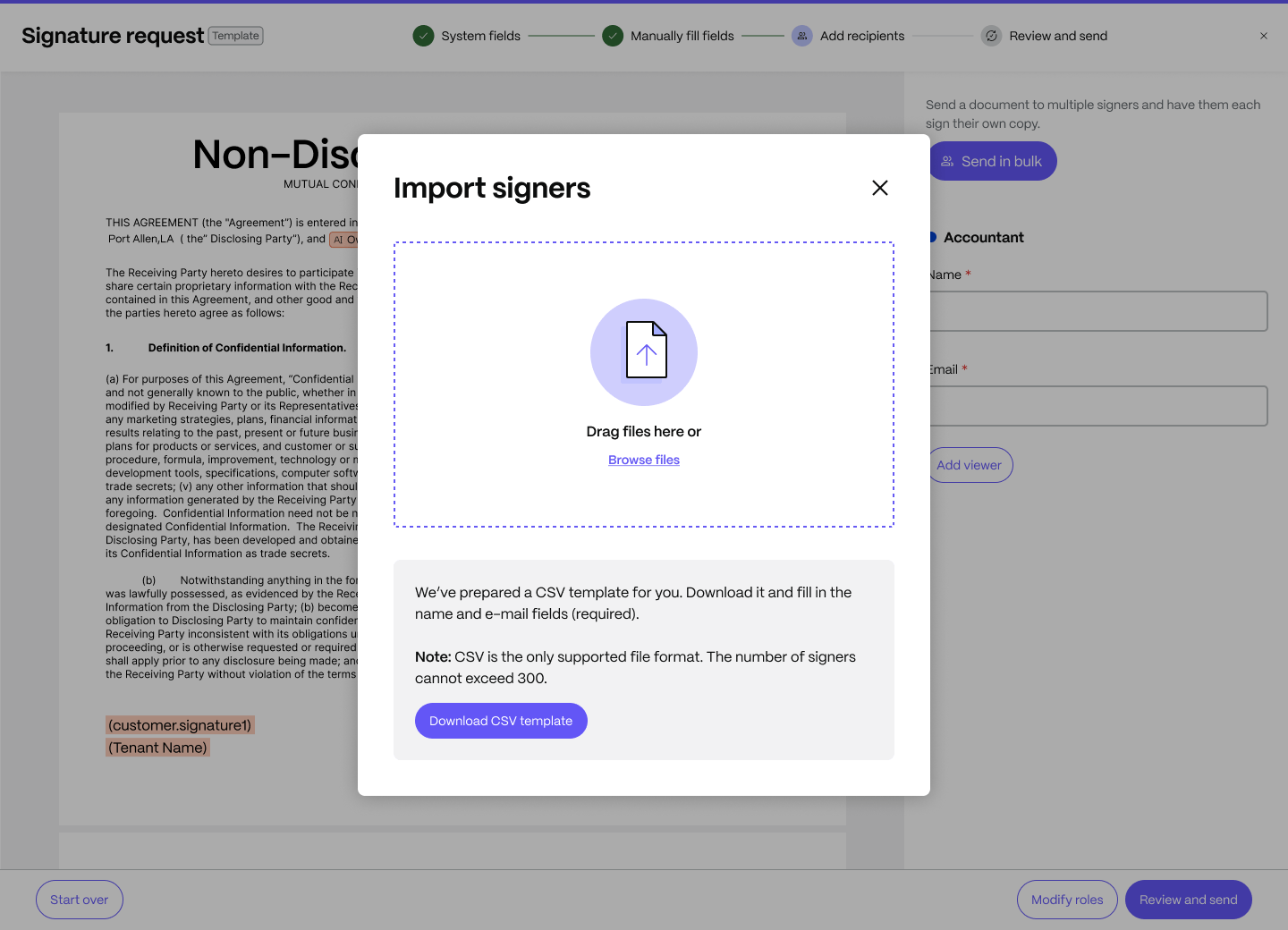
What It Does: Users can now create high-volume signature requests from a single Document Template. Upon uploading a simple CSV file containing names and emails, ShareFile software generates individual signature requests for up to 300 recipients. It streamlines repeatable workflows for teams that regularly send the same form or agreement to many people.
Benefits:
- Faster preparation of high-volume signature requests using a single, reusable template
- Less repetitive setup and fewer data-entry errors with a structured workflow
- Clearer audit-ready tracking with individual signature records automatically created for each recipient
Secure by Design
Feature: One-time Codes for Client Users
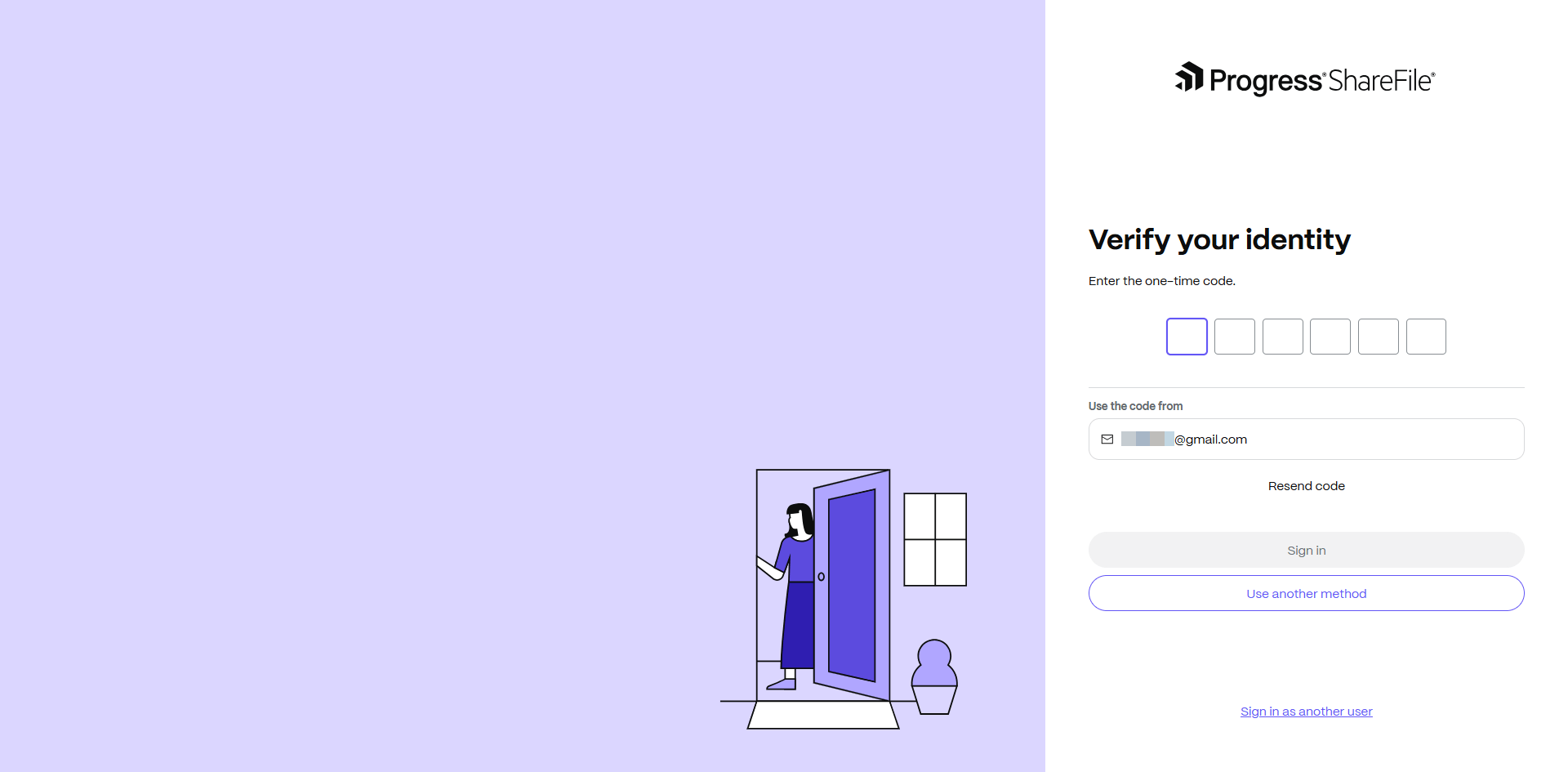
What It Does: The ShareFile one-time code login gives your clients secure, password-free access to their client portal. With a simple code sent directly to their email, they can log in instantly, reducing friction while maintaining enterprise-grade security.
Benefits:
- No need to remember complex passwords—clients receive a secure code via email for instant access
- Quick login process means less hassle and more productivity for your clients
- Ideal for clients who access their ShareFile account infrequently, removing the burden of resetting passwords
Feature: Social Sign-in for Client Users (Microsoft)
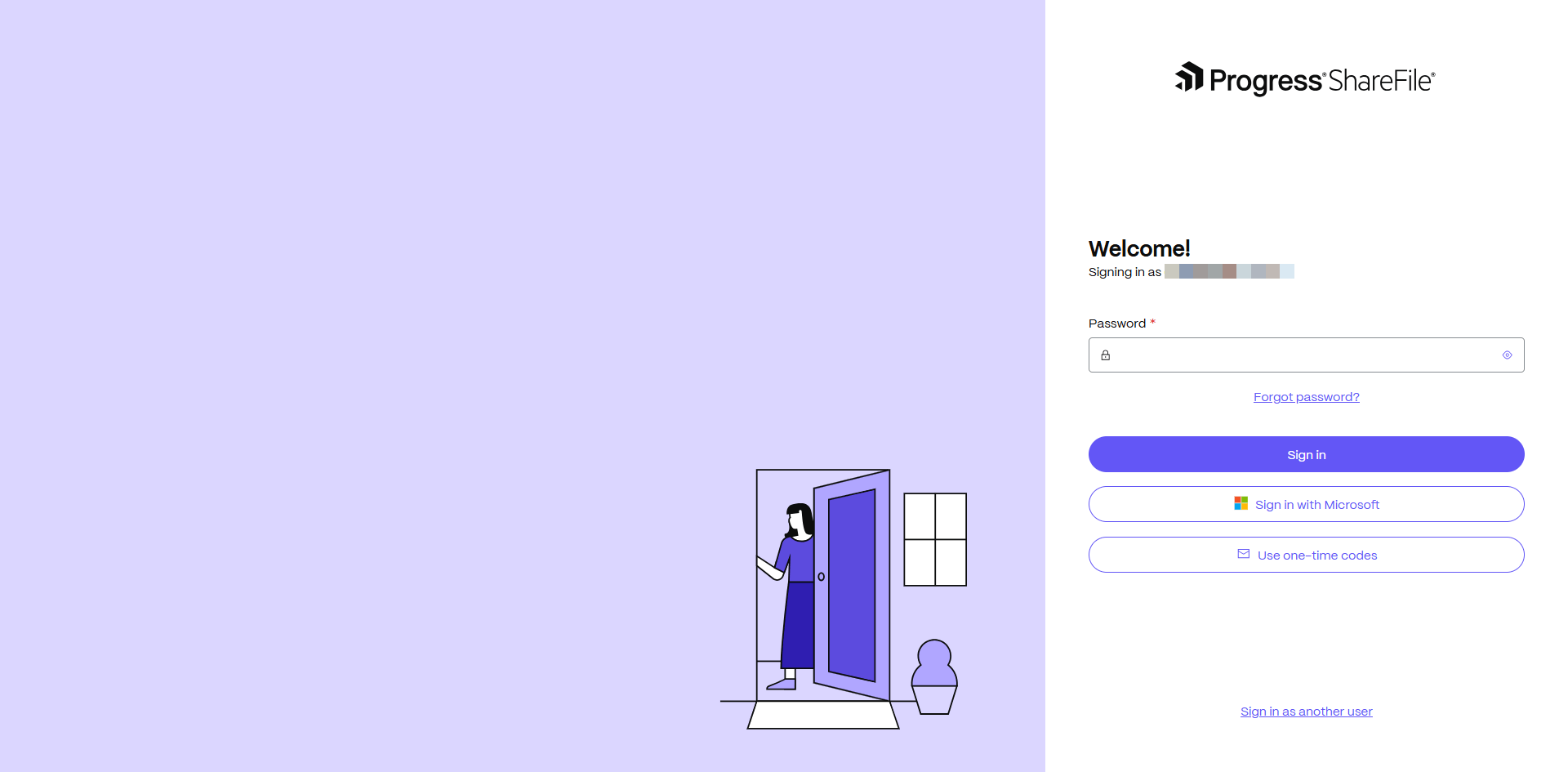
What It Does: With social sign-in, client users can quickly and securely access their ShareFile account using existing credentials from trusted providers like Microsoft. This minimizes the need to create and manage separate passwords, streamlining the login experience while maintaining enterprise-level security standards.
Benefits:
- Clients can log in using familiar personal accounts, reducing the need to create and remember new credentials
- Leverages trusted identity providers to help provide secure authentication without compromising compliance standards
- Streamlines the login process, saving time and minimizing friction for occasional or first-time users
Seamless Collaboration
Feature: Client Hub (beta)
What It Does: The client hub provides a centralized view of client information, files, folders and projects— streamlining client management and simplifying day-to-day work. Whether managing a single client or an entire organization, firms can gain quick access to the details they need to move work forward. The client hub is currently available in an opt-out beta period for Premium plans and above.
Benefits:
- Access client files and documents fast- Save time with a centralized hub for all key materials
- Stay organized with linked client work -Keep forms, files and agreements neatly connected for smoother workflows
- Streamline recurring services- Easily reference past client work to simplify repeat services
Feature: Project Close Behavior
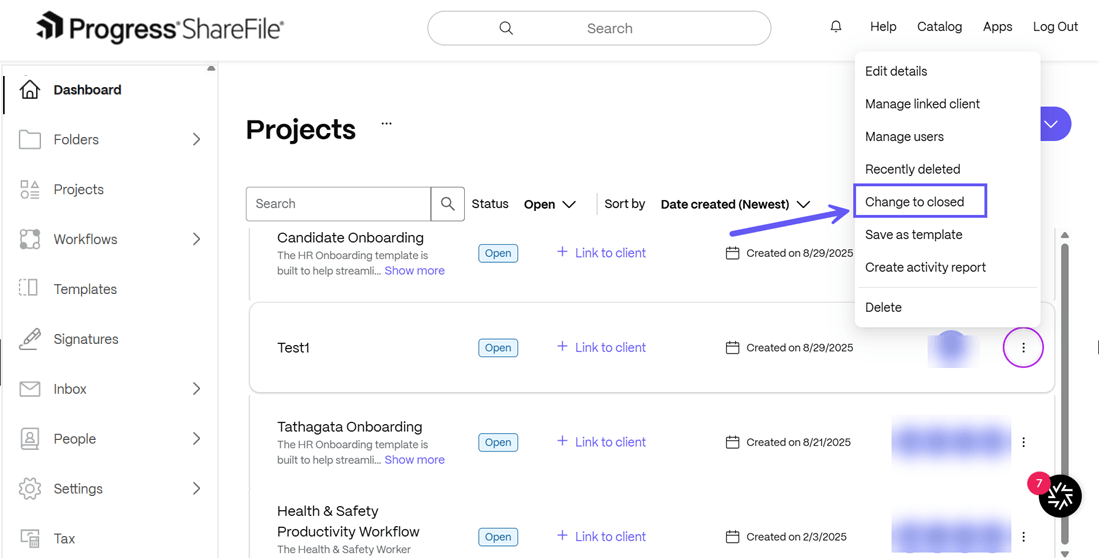
What It Does: Project owners can now formally close and reopena project, moving beyond just creating or deleting it. Once closed, all resources inside the Project become read-only.Project owners can reopen a Project at any time.
Benefits:
- In high-compliance, high-stakes environments, ambiguity equals risk. Whether for legal reasons, data governance or simply enforcing process discipline, the ability to formally
- A "Project Close" state transforms completion from a vague assumption into a visible, traceable protocol.
Feature: ShareFile for Clients mobile app (For iOS & Android)
What It Does: The app offers clients a streamlined mobile experience for completing work on their phones. Clients can upload documents, fill out forms, sign files and scan paper documents into PDFs using their built-in camera. This brings the core client portal actions to mobile, allowing firms to keep work moving even when clients are on the go.
Benefits:
- Faster client turnaround on document requests, forms and signatures
- Frictionless paper documents submission thanks to built-in mobile scanning
- Intuitive and modern client experience across devices
Feature: E-Signature in Client Portal
What it does: Client users can view, sign and submit documents directly within the new Client Portal, without switching tabs or opening separate windows. Once signed, the documents will appear under “Completed Tasks,” providing clients with a clear view of what they’ve finished and what remains pending.
Benefits:
- Fewer missed requests and quicker client turnaround since clients can see all tasks in one place
- Less back-and-forth for teams managing external workflows
- Easier, more predictable experiences for clients unfamiliar with e-signature tool
Learn more in our What’s New with ShareFile webinar on December 16
Join us for our What’s New in ShareFile webinar on Tuesday, December 16, at 11 a.m. ET, where you’ll get all the details of our latest innovations and enhancements, and we’ll answer your questions. Register Here!
Topics
-
Client Engagement
-
VDR
-
File Management
-
File Sharing
-
Integrated E-signature
-
Apps and Integrations
-
Workflow Automation
-
Security and Compliance
Subscribe to ShareFeed Today
Stay ahead with the latest ShareFile releases, feature enhancements, and product updates delivered monthly straight to your inbox.